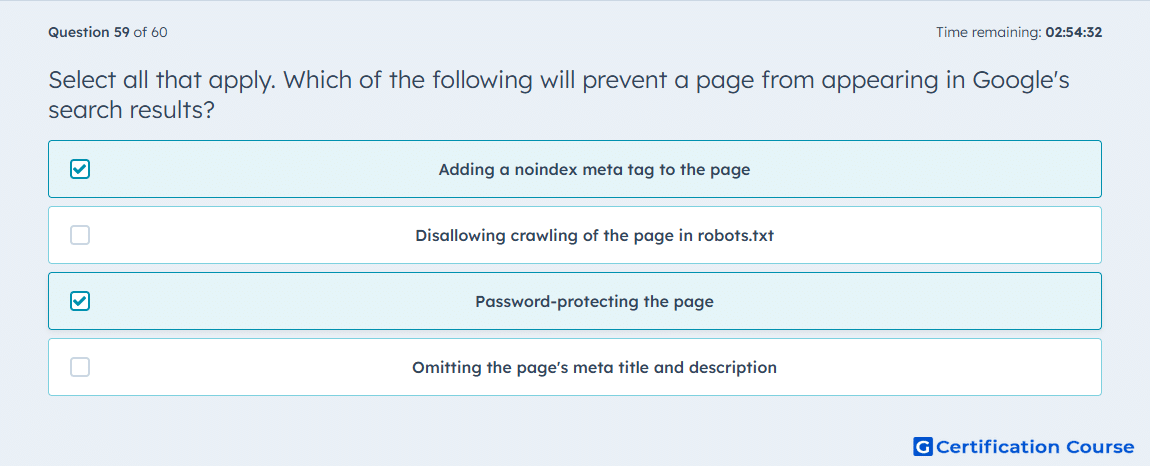
Question: Select all that apply. Which of the following will prevent a page from appearing in Google's search results?
- Adding a noindex meta tag to the page
- Disallowing crawling of the page in robots.txt
- Password-protecting the page
- Omitting the page's meta title and description
Explanation
A page is reliably kept out of Google’s results when it has a noindex directive or when HubSpot applies that same exclusion behavior automatically to password-protected content. HubSpot explicitly states that password-protected content is not indexed by search engines and that HubSpot applies a no-index response to those pages. By contrast, robots.txt controls crawling behavior rather than serving as the direct indexing signal used here. Missing a meta title and meta description also does not block indexing, because those fields affect search presentation, not search eligibility. HubSpot Knowledge Base+1
Why the other options are incorrect
B) Disallowing crawling of the page in robots.txt controls crawler access, but HubSpot distinguishes that from the noindex response used to keep a page out of search results. HubSpot Knowledge Base+1
D) Omitting the page's meta title and description does not prevent indexing because those fields are not the mechanism HubSpot uses to exclude pages from search results. HubSpot Knowledge Base+1
Source for verification
HubSpot Knowledge Base: Prevent content from appearing in search results. HubSpot Knowledge Base
HubSpot Knowledge Base: Create and manage access groups for private content. HubSpot Knowledge Base
The answer(s) to the question is highlighted in the BOLD text above. You can also find more questions and answers related to the exams on the "HubSpot CMS for Developers II" page.