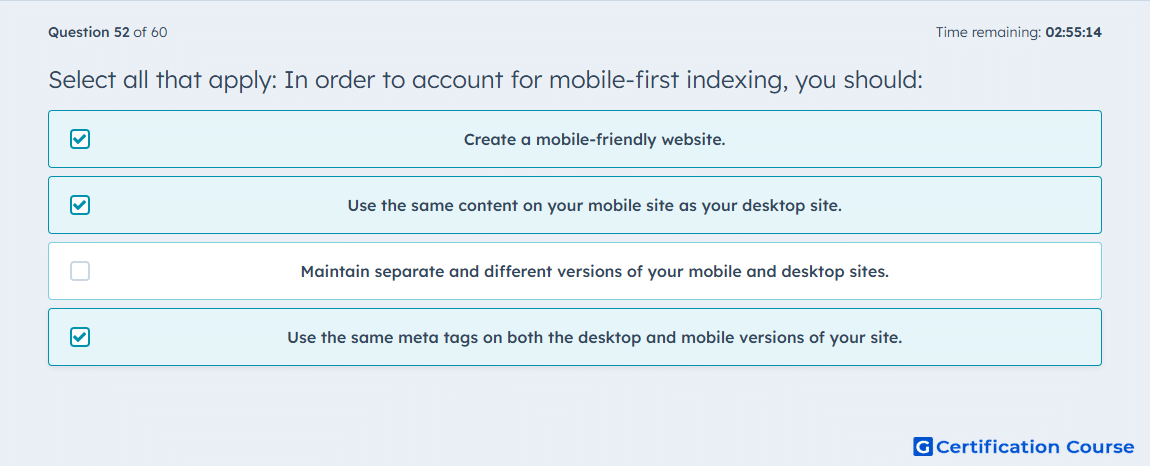
Question: Select all that apply: In order to account for mobile-first indexing, you should:
- Create a mobile-friendly website.
- Use the same content on your mobile site as your desktop site.
- Maintain separate and different versions of your mobile and desktop sites.
- Use the same meta tags on both the desktop and mobile versions of your site.
Explanation
These selections align with mobile-first indexing because HubSpot explains that Google uses the mobile version of a site for indexing and ranking, so the mobile experience must be strong. Your mobile pages should match the desktop version in content and functionality so Google sees the same substantive page information across devices. HubSpot also notes that metadata should be present on both desktop and mobile versions, which supports consistent indexing signals. A mobile-friendly design is therefore necessary, but maintaining different content between versions works against the goal of parity under mobile-first indexing. HubSpot Blog+2HubSpot Blog+2
Why the other options are incorrect
Maintain separate and different versions of your mobile and desktop sites is incorrect because HubSpot states that the mobile version should have the same content and functionality as the desktop version, and metadata should be used on both versions. HubSpot Blog+1
Source for verification
HubSpot: The essential SEO tutorial for thriving in the age of AI-powered search. HubSpot Blog
HubSpot: A Visual Guide to Responsive Design. HubSpot Blog
The answer(s) to the question is highlighted in the BOLD text above. You can also find more questions and answers related to the exams on the "HubSpot CMS for Developers II" page.