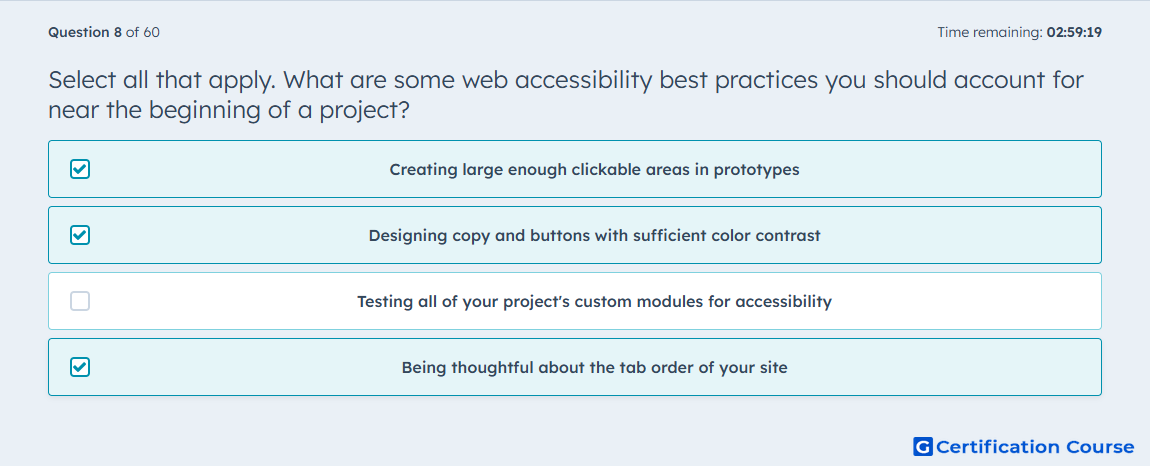
Question: Select all that apply. What are some web accessibility best practices you should account for near the beginning of a project?
- Creating large enough clickable areas in prototypes
- Designing copy and buttons with sufficient color contrast
- Testing all of your project's custom modules for accessibility
- Being thoughtful about the tab order of your site
Explanation
These selections fit because HubSpot says accessibility should be addressed early in a project so the site can be designed correctly instead of retrofitted later. Choices such as larger clickable areas in prototypes, sufficient color contrast for copy and buttons, and intentional keyboard navigation flow all affect the interface structure before implementation is finished. HubSpot specifically calls out sufficient contrast and keyboard use as core accessibility considerations, which supports treating them as early planning decisions. The shared pattern is that these items shape design and interaction behavior from the beginning, not after the build is complete. HubSpot Developers+1
Why the other options are incorrect
Testing all of your project's custom modules for accessibility is important, but it is a validation step once modules exist, not one of the early project decisions that HubSpot emphasizes planning from the start. HubSpot Developers
Source for verification
https://developers.hubspot.com/docs/cms/best-practices/improve-existing-sites/accessibility
The answer(s) to the question is highlighted in the BOLD text above. You can also find more questions and answers related to the exams on the "HubSpot CMS for Developers II" page.