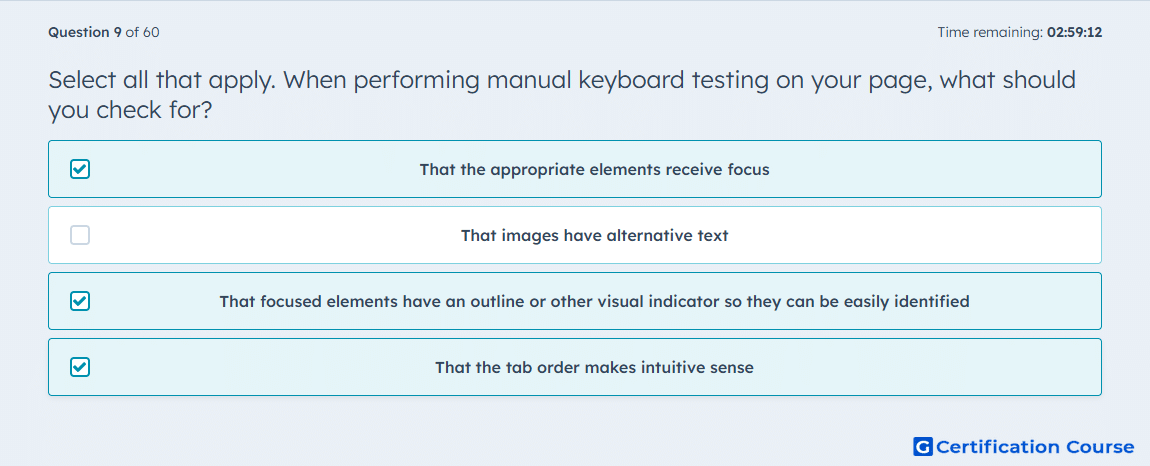
Question: Select all that apply. When performing manual keyboard testing on your page, what should you check for?
- That the appropriate elements receive focus
- That images have alternative text
- That focused elements have an outline or other visual indicator so they can be easily identified
- That the tab order makes intuitive sense
Explanation
These checks belong in manual keyboard navigation testing because HubSpot’s accessibility guidance focuses on whether interactive controls can be reached through focus movement, whether the current target is visually identifiable, and whether the interaction flow remains usable without a mouse. A page can fail keyboard use even when the markup exists correctly if focus lands in the wrong places or skips needed controls. HubSpot specifically recommends styling :focus so users can see what is selected and ensuring navigation patterns remain accessible when moving through the interface by keyboard. A logical sequence is also essential because an unpredictable focus path creates friction even when every control is technically reachable. HubSpot Developers
Why the other options are incorrect
B) Images have alternative text belongs to non-text content accessibility, not to manual keyboard navigation behavior. HubSpot Developers
Source for verification
HubSpot Developer Documentation: Accessibility. HubSpot Developers
The answer(s) to the question is highlighted in the BOLD text above. You can also find more questions and answers related to the exams on the "HubSpot CMS for Developers II" page.