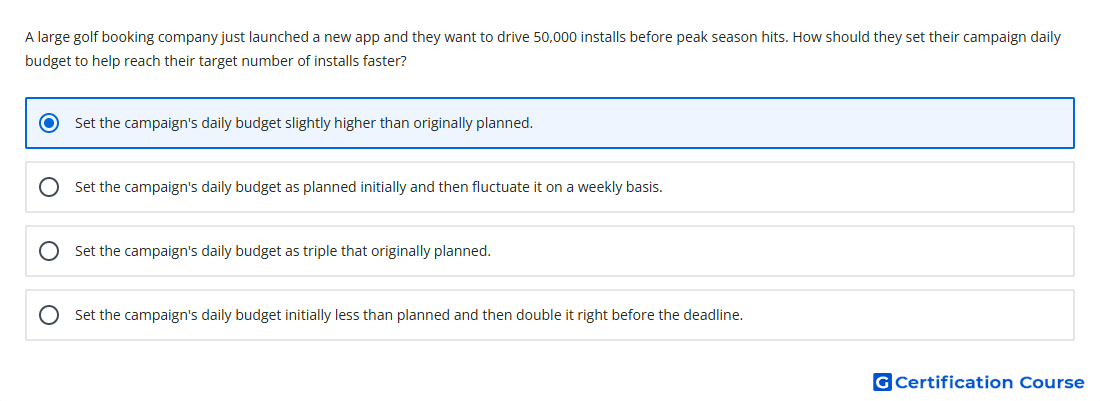
Question: A large golf booking company just launched a new app and they want to drive 50,000 installs before peak season hits. How should they set their campaign daily budget to help reach their target number of installs faster?
- Set the campaign's daily budget initially less than planned and then double it right before the deadline.
- Set the campaign's daily budget as triple that originally planned.
- Set the campaign's daily budget as planned initially and then fluctuate it on a weekly basis.
- Set the campaign's daily budget slightly higher than originally planned.
Explanation
Before setup, the campaign objective should be clear so App campaigns can optimize toward the right outcome. The selected goal determines whether the campaign focuses on installs, in-app actions, or value from existing users. A defined goal also guides bidding, budget, measurement, and creative planning. Without a clear objective, Google Ads automation has no meaningful performance target to optimize against.
Why the other options are incorrect
User feedback Feedback can improve the app experience, but it is not the first setup requirement for App campaigns.
Competitor research Competitive research may provide context, but it does not define the campaign’s optimization goal.
Asset library Creative assets are important, but they should be prepared after the campaign goal is defined.
Source for verification
https://support.google.com/google-ads/answer/6247380?hl=en
The answer(s) to the question is highlighted in the BOLD text above. You can also find more questions and answers related to the exams on the "Google Ads Apps Assessment" page.