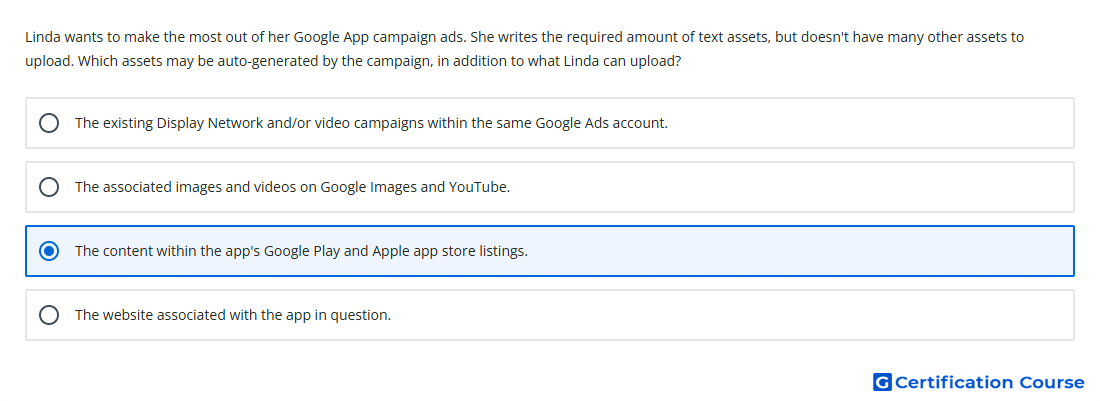
Question: Linda wants to make the most out of her Google App campaign ads. She writes the required amount of text assets, but doesn't have many other assets to upload. Which assets may be auto-generated by the campaign, in addition to what Linda can upload?
- The existing Display Network and/or video campaigns within the same Google Ads account.
- The associated images and videos on Google Images and YouTube.
- The website associated with the app in question.
- The content within the app's Google Play and Apple app store listings.
Explanation
App campaigns can use assets supplied by the advertiser and may also pull eligible content from the app’s store listing. Store listing content can help Google Ads generate ad variations when uploaded creative coverage is limited. Google Ads automation combines text, image, video, and store listing assets to create ads across supported inventory. Strong asset variety still improves the system’s ability to test combinations and optimize toward the campaign goal.
Why the other options are incorrect
Website App campaigns do not auto-generate ad assets from the advertiser’s website as the primary app asset source.
Existing campaigns Assets are not automatically taken from separate Display Network or video campaigns for App campaign creation.
Google Images and YouTube Google Ads does not freely pull unrelated images or videos from these properties for App campaign assets.
Source for verification
https://support.google.com/google-ads/answer/6247380?hl=en
https://support.google.com/google-ads/answer/6167160?hl=en
The answer(s) to the question is highlighted in the BOLD text above. You can also find more questions and answers related to the exams on the "Google Ads Apps Assessment" page.