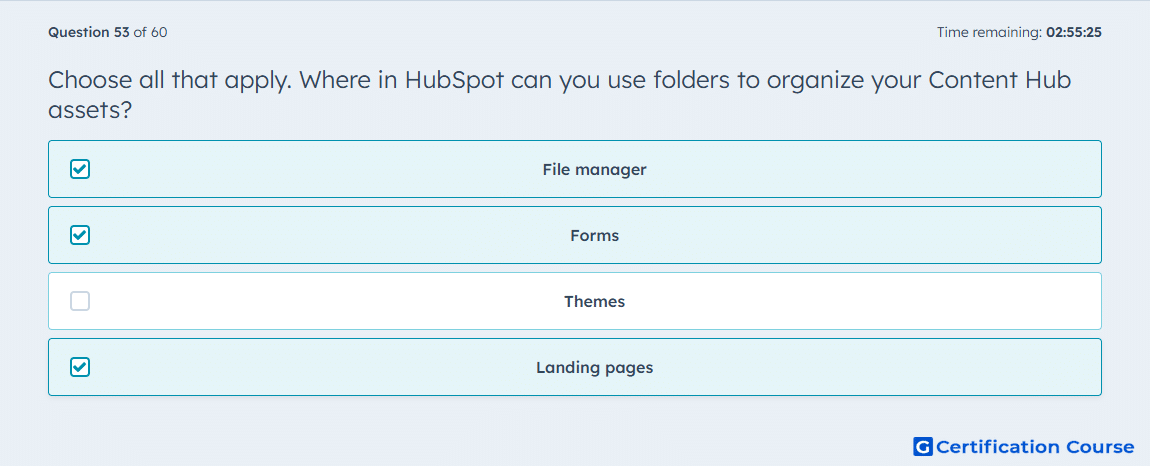
Question: Choose all that apply. Where in HubSpot can you use folders to organize your Content Hub assets?
- File manager
- Forms
- Themes
- Landing pages
Explanation
HubSpot’s asset-organization guidance says folders are available in the file manager, forms tool, and landing pages tool for internal organization. The files area lets users create folders and move files into them, the forms index includes a Folders control, and landing pages can also be sorted into folders. HubSpot also notes that landing page folders are for internal organization only and do not affect the live website. Those locations therefore match the supported folder-based organization methods for Content Hub assets. HubSpot Knowledge Base+3HubSpot+3HubSpot Knowledge Base+3
Why the other options are incorrect
Themes Folder organization exists in the Design Manager for theme assets, but HubSpot identifies the folder-based location as the design tools/Design Manager, not “Themes” as a separate organizing area. HubSpot+1
Source for verification
https://knowledge.hubspot.com/design-manager/a-quick-tour-of-the-design-manager
The answer(s) to the question is highlighted in the BOLD text above. You can also find more questions and answers related to the exams on the "HubSpot Content Hub For Marketers" page.