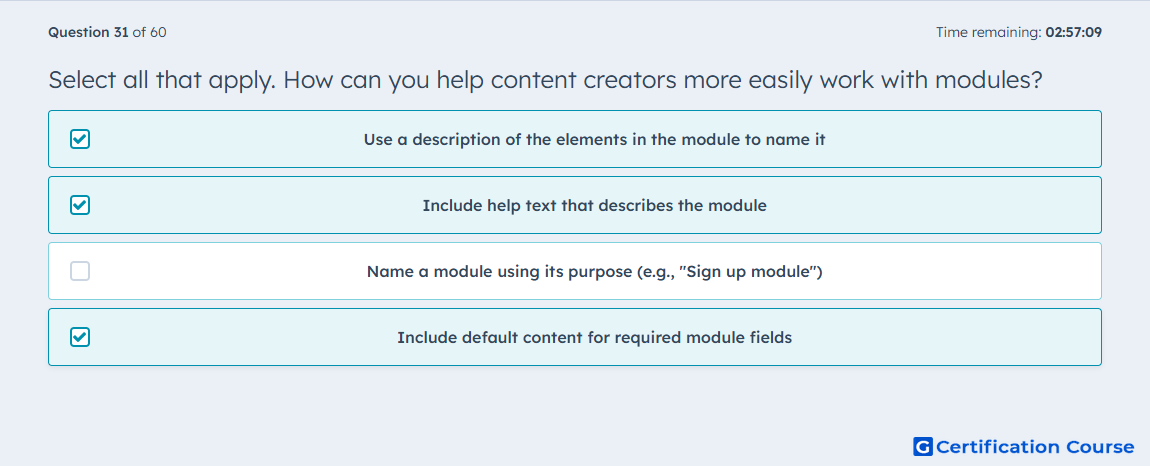
Question: Select all that apply. How can you help content creators more easily work with modules?
- Use a description of the elements in the module to name it
- Include help text that describes the module
- Name a module using its purpose (e.g., "Sign up module")
- Include default content for required module fields
Explanation
These choices improve the editing experience because HubSpot builds a module’s editor from its configured fields, labels, defaults, and helper text. Clear descriptive naming makes the module’s structure easier to recognize in the content editor, especially when the visible label is set for content creators rather than the internal file name. Inline help text gives direct usage guidance inside the editor, which reduces confusion when a module has multiple configurable fields. Default values in required fields also make modules easier to place and understand because the initial state already reflects the field’s intended use. HubSpot Developers+2HubSpot Developers+2
Why the other options are incorrect
Name a module using its purpose is too narrow for a reusable module, because HubSpot separates the internal module name from the editor-facing label, and the editing experience is improved more directly by descriptive labels, help text, and meaningful defaults. HubSpot Developers+1
Source for verification
The answer(s) to the question is highlighted in the BOLD text above. You can also find more questions and answers related to the exams on the "HubSpot CMS for Developers II" page.