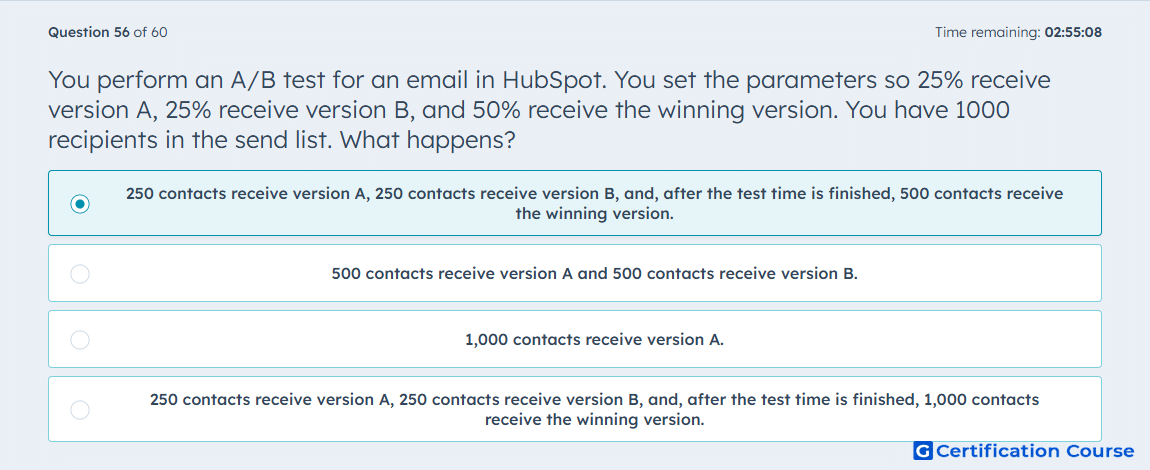
Question: You perform an A/B test for an email in HubSpot. You set the parameters so 25% receive version A, 25% receive version B, and 50% receive the winning version. You have 100 recipients in the send list. What happens?
- 25 contacts receive version A, 25 contacts receive version B, and, after the test time is finished, 50 contacts receive the winning version.
- 50 contacts receive version A and 50 contacts receive version B.
- 100 contacts receive version A.
- 25 contacts receive version A, 25 contacts receive version B, and, after the test time is finished, 100 contacts receive the winning version.
Explanation
HubSpot’s A/B test distribution requires a large enough recipient pool to split the audience and reserve a winning-version group. When the recipient count is too small, HubSpot does not run the configured split. Instead, the email defaults to version A for the full send. This prevents test results from being based on an audience size too limited to support the selected test structure.
Why the other options are incorrect
25/25/50 split is incorrect because HubSpot does not apply the configured split when the recipient pool is too small.
50/50 split is incorrect because that behavior applies to some automated A/B email scenarios, not this regular email setup.
Winning version to all recipients is incorrect because the reserved winning-version group is not added on top of the original send list.
Source for verification
https://knowledge.hubspot.com/marketing-email/run-an-a/b-test-on-your-marketing-email
The answer(s) to the question is highlighted in the BOLD text above. You can also find more questions and answers related to the exams on the "HubSpot Email Marketing Software" page.