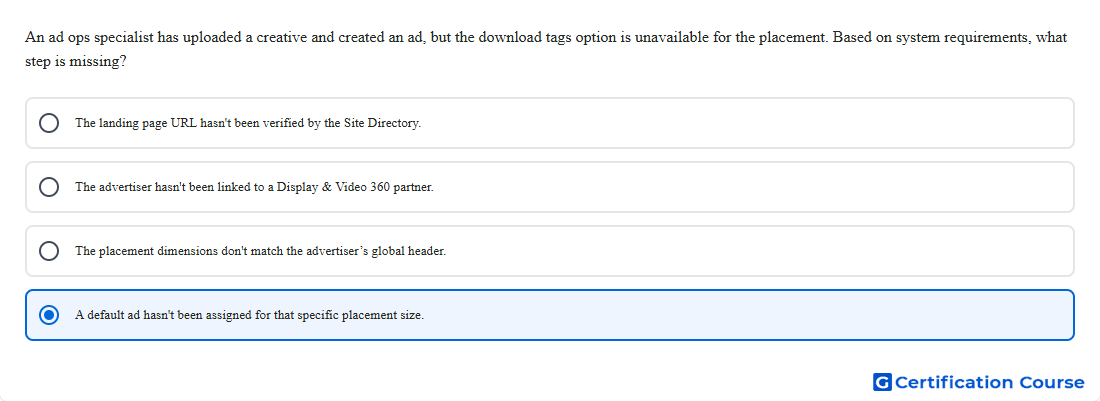
Question: An ad ops specialist has uploaded a creative and created an ad, but the download tags option is unavailable for the placement. Based on system requirements, what step is missing?
- The advertiser hasn't been linked to a Display & Video 360 partner.
- The landing page URL hasn't been verified by the Site Directory.
- The placement dimensions don't match the advertiser’s global header.
- A default ad hasn't been assigned for that specific placement size.
Explanation
Campaign Manager 360 generally requires display placements to have default ads before tags can be exported. The system creates those default ads from image assets that match the placement size. A normal ad and uploaded creative do not satisfy this requirement if the matching fallback ad is missing. This requirement helps ensure the placement tag can return an ad when regular delivery conditions do not produce an eligible ad.
Why the other options are incorrect
Landing page URL is not the requirement that controls tag export availability for display placements.
Display & Video 360 partner linking is not required to download placement tags from Campaign Manager 360.
Placement dimensions must match eligible creative assets, but there is no advertiser global header requirement.
Source for verification
https://support.google.com/campaignmanager/answer/2704779?hl=en
https://support.google.com/campaignmanager/answer/2826636?hl=en
The answer(s) to the question is highlighted in the BOLD text above. You can also find more questions and answers related to the exams on the "Campaign manager 360 Certification" page.