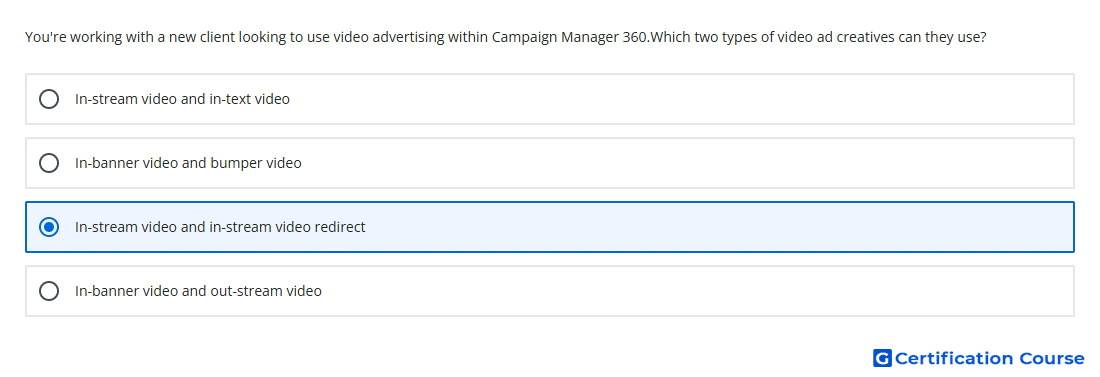
Question: You're working with a new client looking to use video advertising within Campaign Manager 360.Which two types of video ad creatives can they use?
- In-stream video and in-stream video redirect
- In-banner video and out-stream video
- In-banner video and bumper video
- In-stream video and in-text video
Explanation
Campaign Manager 360 supports video creatives that either host video assets directly or redirect to a publisher-compatible VAST URL. The redirect workflow lets Campaign Manager 360 track video served from another ad server without uploading the video asset into Campaign Manager 360. These creative types are built for in-stream inventory and use pre-fetch placement tags to deliver video content. They also support video-specific reporting for in-stream delivery.
Why the other options are incorrect
In-banner video is a display-style experience, not one of the core Campaign Manager 360 in-stream video creative types for this use case.
Bumper video is not listed as a Campaign Manager 360 creative type in the video creative setup workflow.
In-text video is not a Campaign Manager 360 video creative type.
Out-stream video is not identified as a Campaign Manager 360 video creative type in the supported video creative documentation.
Source for verification
https://support.google.com/campaignmanager/answer/3311603
https://support.google.com/campaignmanager/answer/6286181
The answer(s) to the question is highlighted in the BOLD text above. You can also find more questions and answers related to the exams on the "Campaign manager 360 Certification" page.